How to Find Winning Ad Campaigns with AdPlexity Native
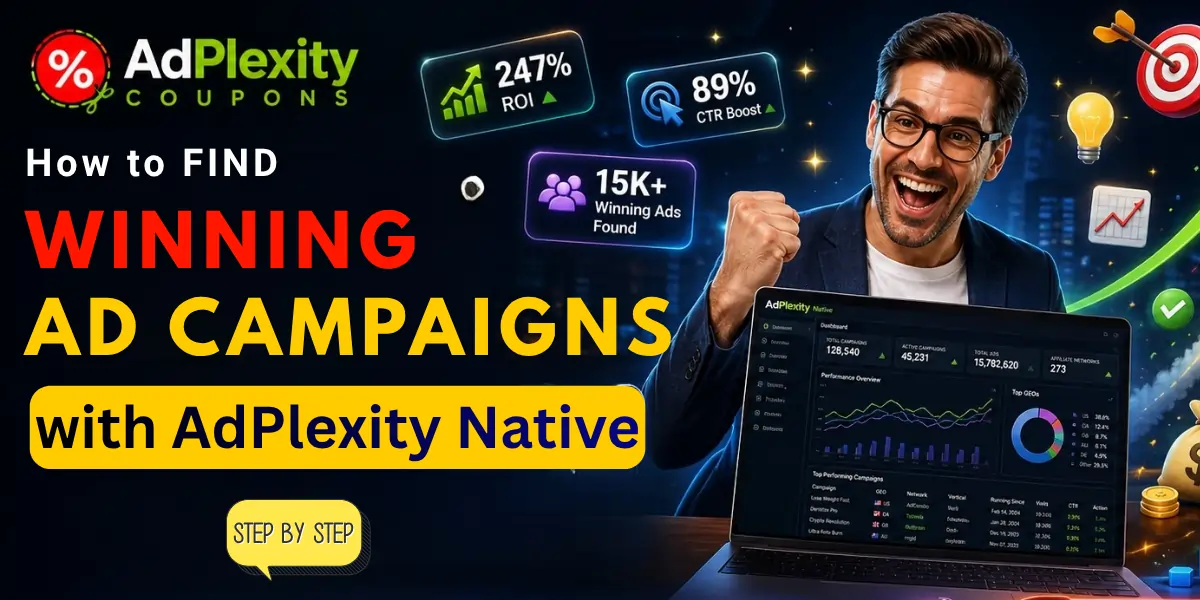
Finding winning campaigns in AdPlexity Native comes down to one principle: long-running campaigns are profitable campaigns. Advertisers do not keep paying for native ads that lose money. The 7-step process below uses running duration, filter combinations, and pattern analysis to surface the campaigns most likely to be generating positive ROI.
I have used this exact method to identify winning angles on Taboola and Outbrain before launching my own native campaigns. The process takes about 30–45 minutes once you are comfortable with the filters.
What Makes a Winning Ad Campaign in AdPlexity?
A “winning” campaign in the ad spy context means a campaign that is likely profitable for the advertiser. You cannot see actual revenue numbers in AdPlexity — but you can identify strong signals:
Step-by-Step Guide: Finding Winning Ads with AdPlexity Native Module
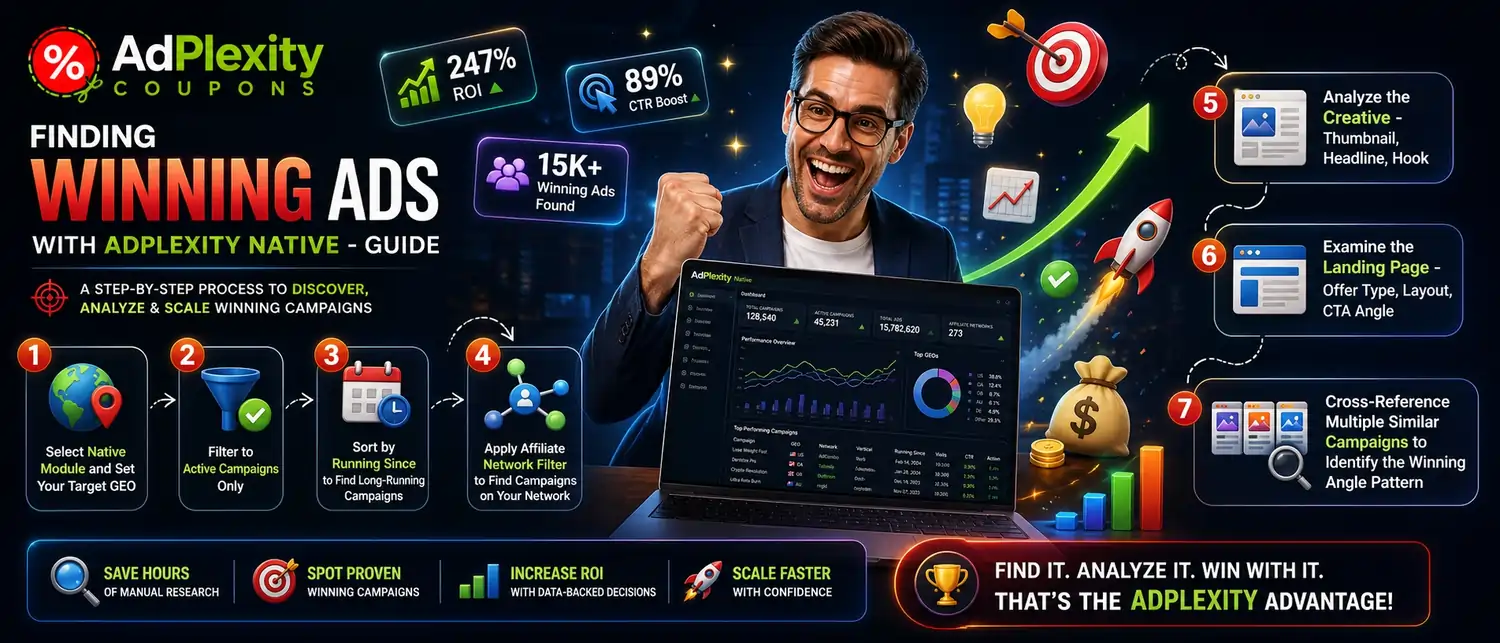
Step 1: Select Native Module and Set Your Target GEO
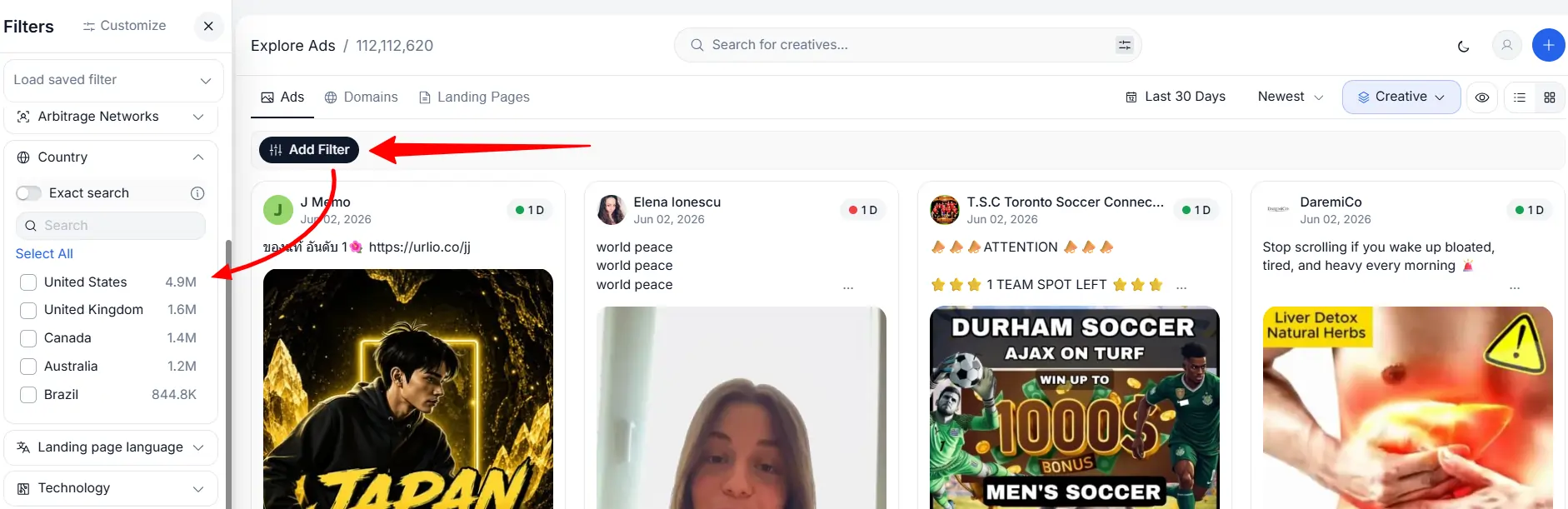
Open the AdPlexity Native module and select the country where you run (or plan to run) campaigns. Start with the United States if you are new to native research — it has the highest data volume and the most active campaigns. Other strong starting GEOs: United Kingdom, Germany, France, Brazil, India.
Step 2: Filter to “Active” Campaigns Only
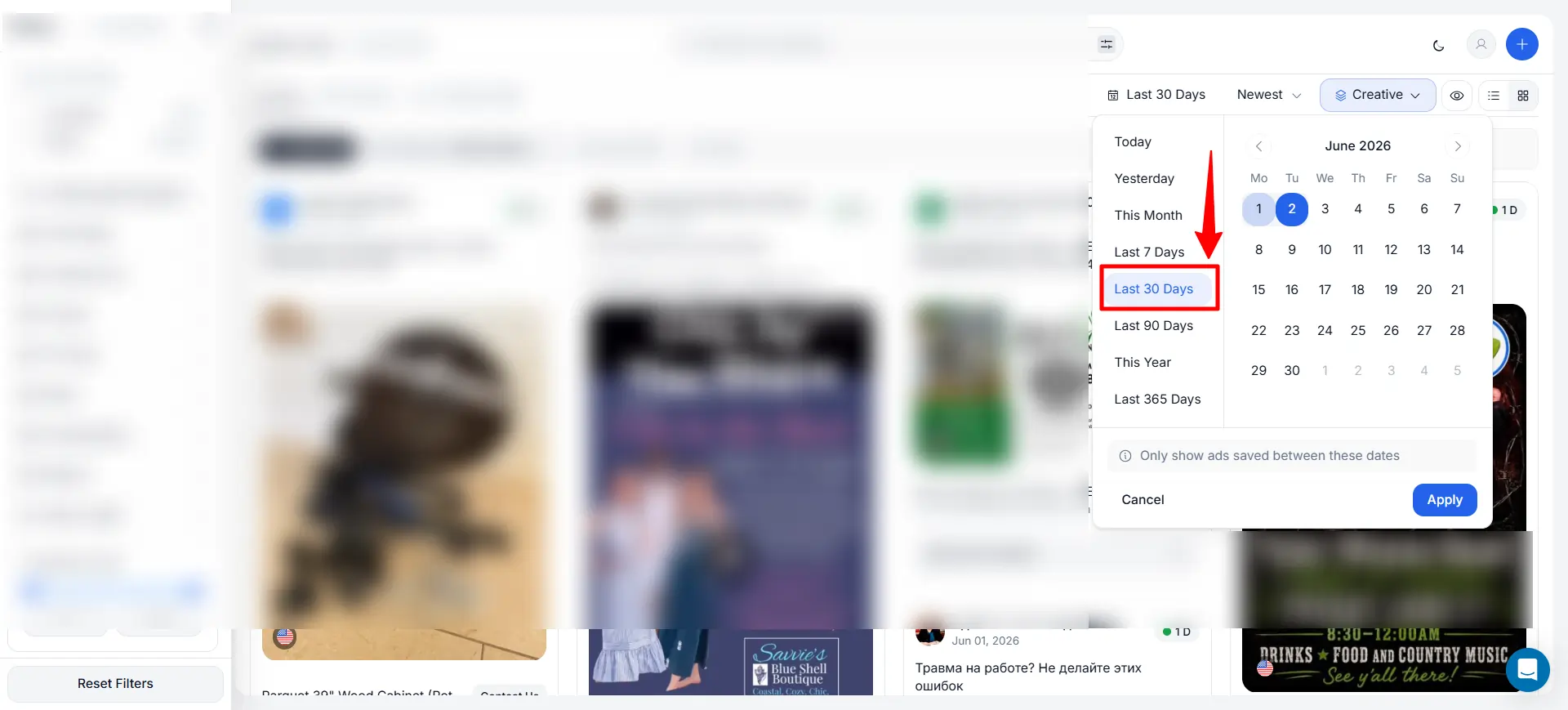
Set the date filter to show only campaigns active within the last 7–30 days. This eliminates archived campaigns from months ago that may no longer work. The native ad market changes weekly — a winning angle in January may be burned out by April. Focus on what is running now.
Step 3: Sort by “Running Since” to Find Long-Running Campaigns
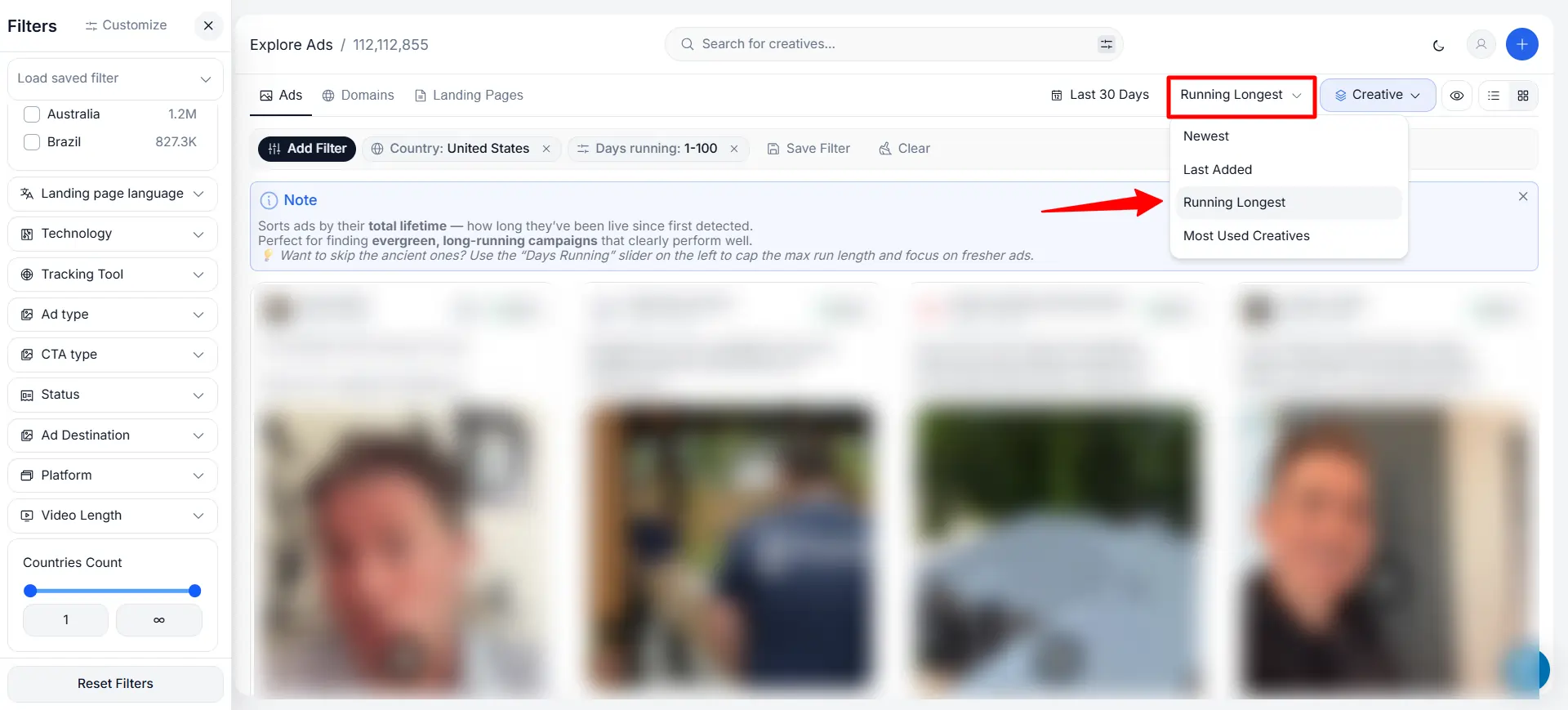
This is the most important filter. Sort by “Running Since” with the oldest-first option. This brings campaigns that have been active for 30, 60, or 90+ days to the top of your results. These are your highest-confidence winners — the longer a campaign runs, the more likely it generates positive ROI.
Skip campaigns running for less than 7 days — they may still be in testing phase and could be killed tomorrow.
Step 4: Apply Affiliate Network Filter to Find Campaigns on Your Network
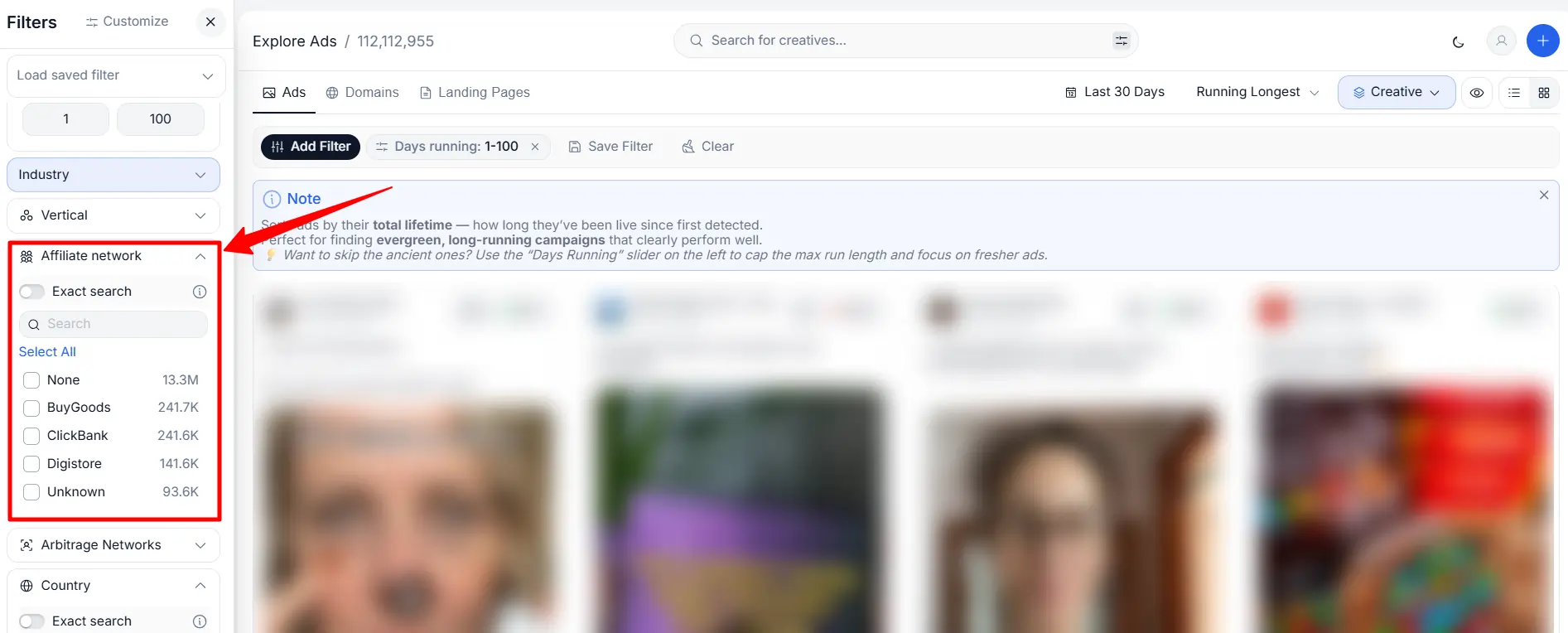
If you work with a specific CPA network (MaxBounty, ClickDealer, ClickBank, etc.), filter to campaigns using that network. This shows you offers you can actually run yourself — not just campaigns for offers you cannot access. AdPlexity detects affiliate networks from tracking links and redirect chains in the landing pages.
If you do not have a specific network preference, skip this filter and browse all results.
Step 5: Analyze the Creative — Thumbnail, Headline, Hook
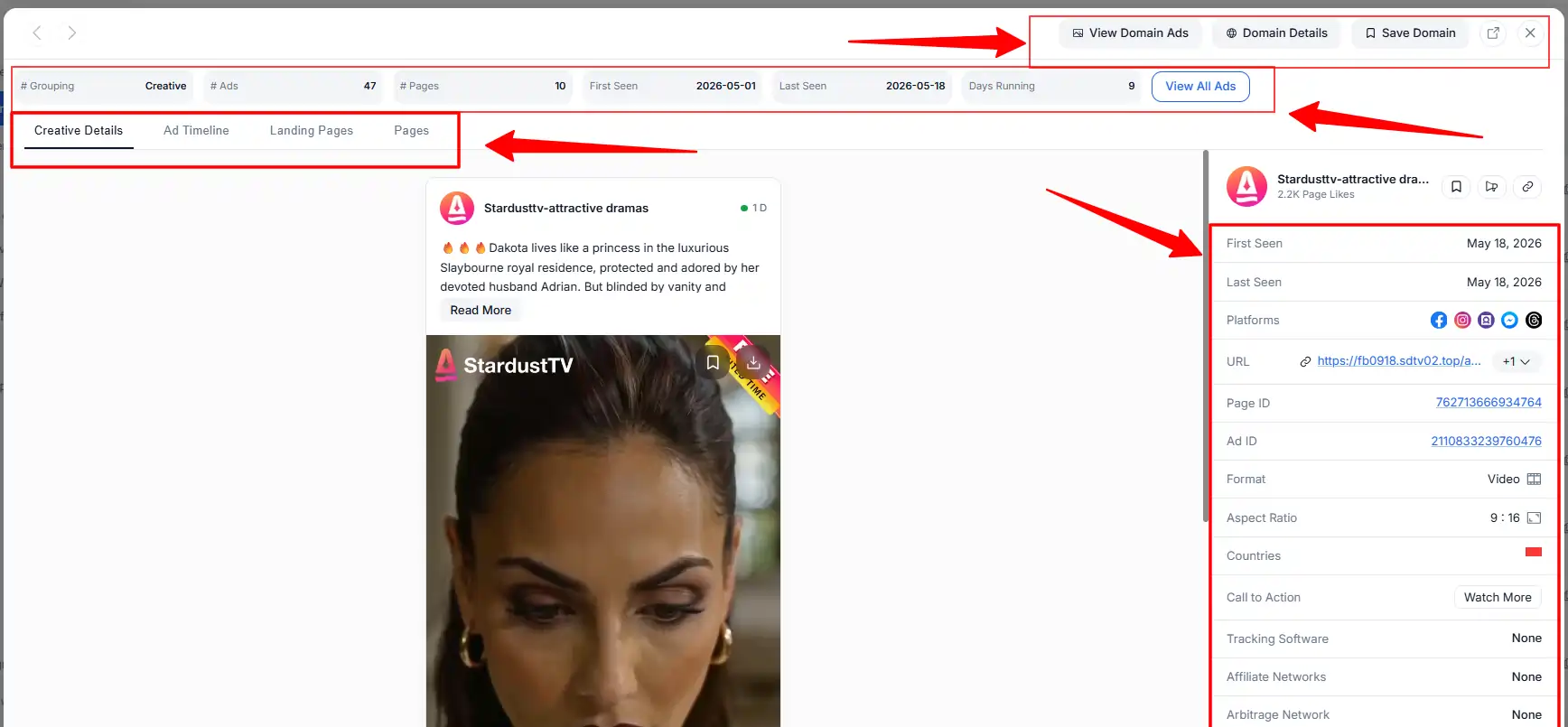
Open 15–20 campaigns in the same niche and study the patterns across them — not just individual campaigns. Look for:
- Headline patterns: Do winners use curiosity (“Doctors are stunned by…”), urgency (“Before it is banned”), or direct benefit (“How I lost 20 lbs”)?
- Thumbnail patterns: Do winning images use faces, before/after photos, product shots, or shocking visuals?
- Angle patterns: Are campaigns promoting a specific product, a general category, or a news-style story?
The individual campaign matters less than the recurring patterns across 15+ winners in the same vertical.
Step 6: Examine the Landing Page — Offer Type, Layout, CTA Angle
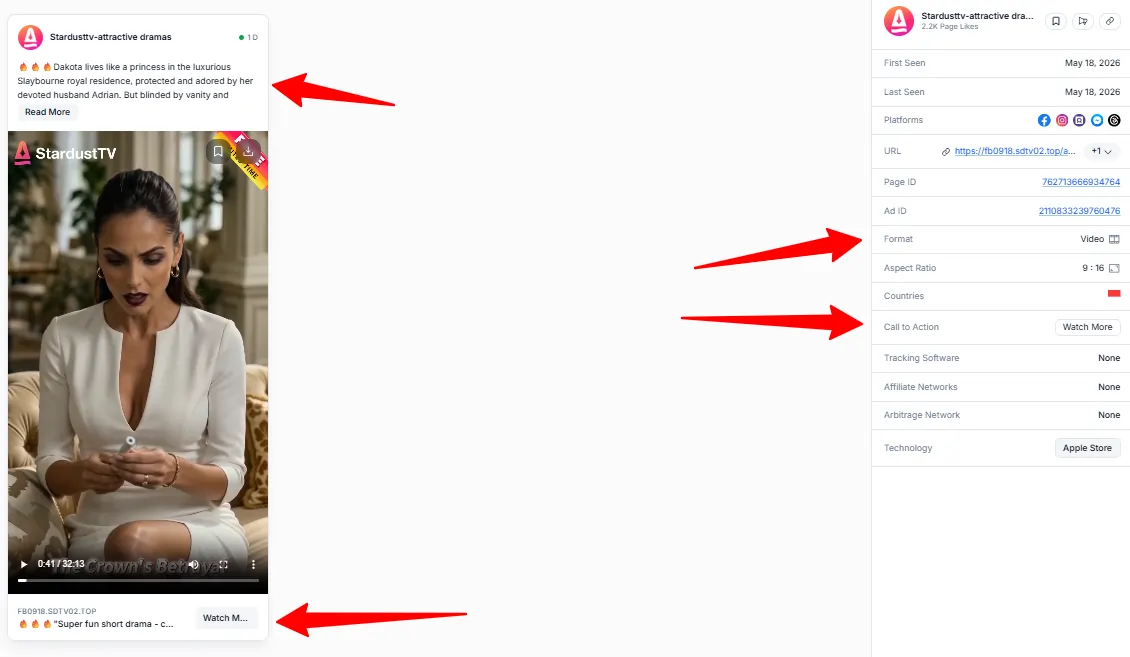
Click through to the landing page for each winning campaign. Study:
- Page type: Is it a presell article (news-style story), direct offer page, quiz funnel, or video sales letter?
- Headline and hook: What is the main promise in the first 100 words?
- CTA placement: Where is the primary call-to-action button? Above the fold? After a story section?
- Social proof: Does the page use testimonials, user counts, doctor endorsements, or media logos?
- Length: Is it a short page (500 words) or a long-form presell (2,000+ words)?
The landing page is where conversions happen. Understanding why winning pages convert helps you build better funnels.
Step 7: Cross-Reference Multiple Similar Campaigns to Identify the Winning Angle Pattern
After analyzing 15–20 campaigns in your target niche, identify the common threads:
These patterns are your playbook. Build your own campaigns using the proven angle formula — not by copying a single campaign, but by combining the elements that appear across multiple winners.
Campaign Filter Settings: Quick Reference
Use this checklist at the start of every research session to configure your filters before browsing results.
| Filter | Setting | Why It Matters |
|---|---|---|
| Date range | Last 7–30 days (active only) | Cuts out archived campaigns that may no longer be relevant |
| Sort order | Running Since — Oldest first | Surfaces long-running, likely profitable campaigns immediately |
| GEO | Your target country | Limits results to campaigns relevant to your traffic |
| Network | Networks you actively buy traffic on | Shows competitors on the same platforms you use |
| Affiliate network | Your CPA network (e.g., MaxBounty) | Filters to offers you can actually run yourself |
| Keyword | Your niche (e.g., “weight loss”, “VPN”) | Narrows results to your vertical from the first page |
| Minimum run time | 14+ days | Removes campaigns still in the early testing phase |
Common Mistakes When Searching for Winners
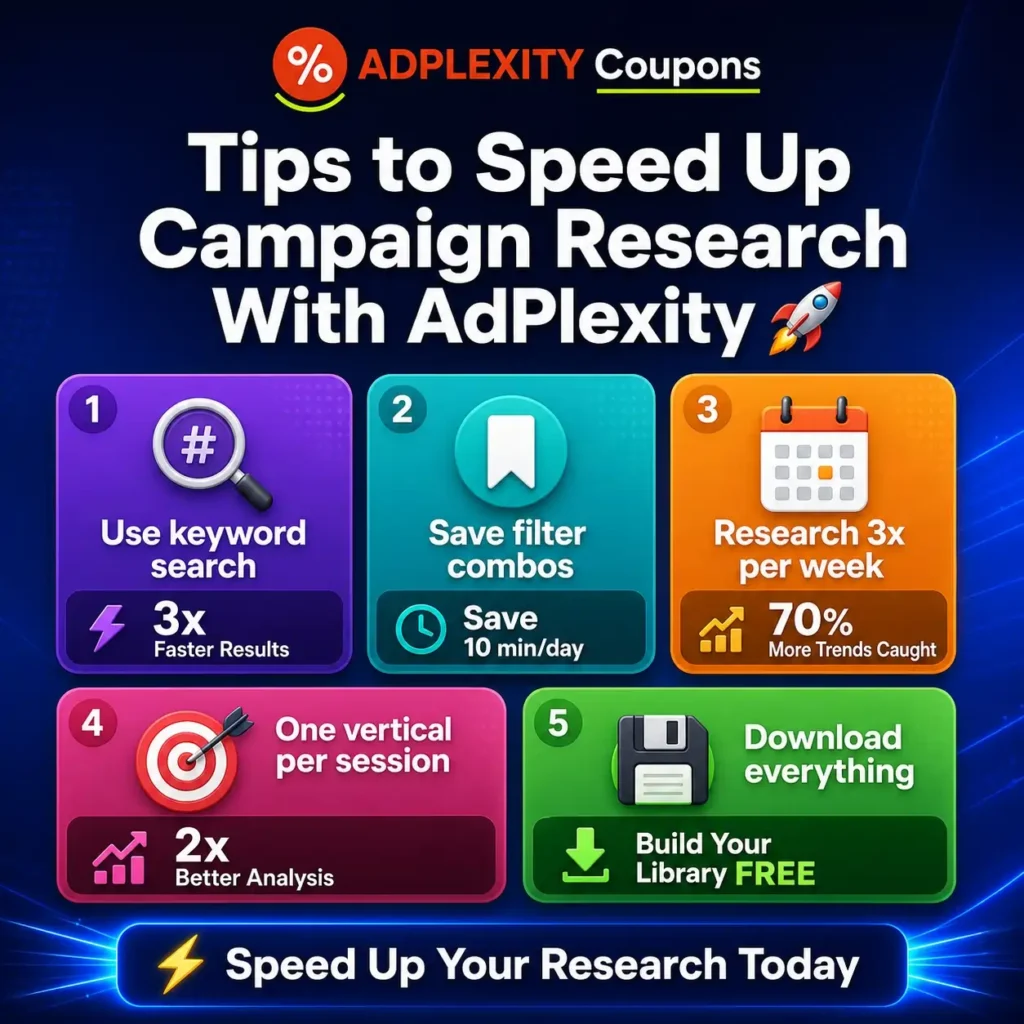
Tips to Speed Up Campaign Research
How Much Does AdPlexity Cost for This Research?
AdPlexity Native costs $249/month ($174.30 with BLOGECLIPSE_N). This gives you unlimited searches, unlimited downloads, and full access to 20M+ native ads across 9 networks and 60+ countries.
See the full AdPlexity pricing breakdown, or learn how to use AdPlexity for the general platform tutorial.
🏷️ EXCLUSIVE
AdPlexity Native
30% OFF
For Lifetime
FAQs Related to AdPlexity Native Ad Research
How long does it take to find a winning campaign in AdPlexity?
About 30–45 minutes per research session once you are familiar with the filters. The first session may take longer as you learn the interface. Expect to analyze 15–20 campaigns per session before identifying clear patterns.
Can I copy campaigns I find in AdPlexity?
Do not copy creatives or landing pages word-for-word. Use them as research — study the angle, structure, and approach, then create your own original version. Direct copying risks ad network bans and compliance violations.
What is the “Running Since” filter?
It sorts campaigns by how long they have been continuously active. A campaign running for 30+ days has been paying for traffic for a month — a strong signal that it is profitable. This is the single most useful filter for finding winners.
Do I need AdPlexity Native specifically for this?
This guide focuses on native ads. The same research principles (filter → sort by duration → analyze patterns) apply to AdPlexity Push, Mobile, and other modules. Each module covers a different ad format.
How many campaigns should I analyze per session?
Aim for 15–20 campaigns in the same niche per session. This gives you enough data points to identify recurring patterns in headlines, creatives, and landing page structures.
Final Thoughts
Finding winning ad campaigns in AdPlexity comes down to filtering, sorting by running duration, and studying patterns across multiple campaigns. The 7-step process works across any vertical and any GEO. Start with long-running campaigns, study the creative and landing page patterns, and build your own campaigns based on proven elements.