How to Use AdPlexity’s Advanced Search Filters for Winning Ads
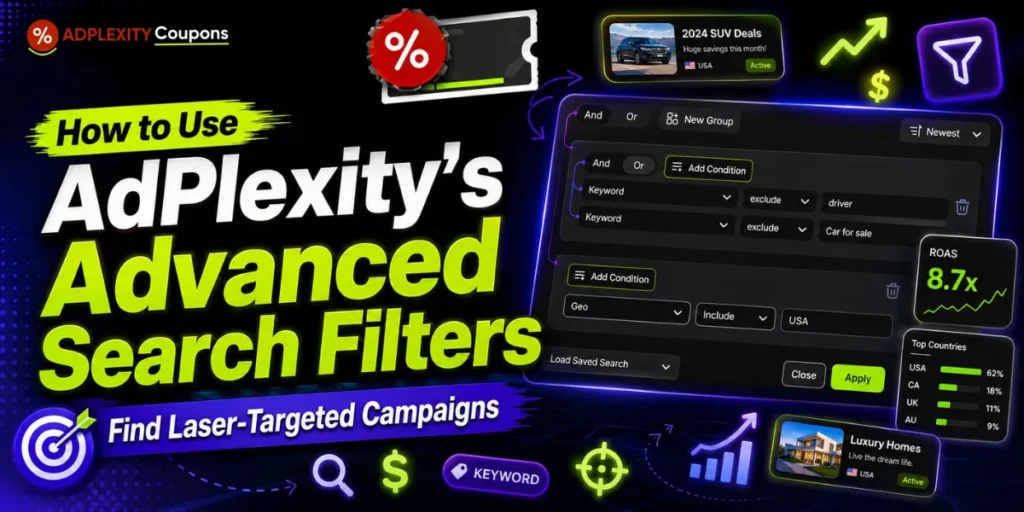
Quick Answer: AdPlexity's advanced search filters let you combine up to 15 conditions across three groups using AND/OR logic, so you can narrow competitor ads by GEO, device, traffic source, affiliate network, and even specific URL patterns.
Instead of scrolling broad ad databases, you filter out the noise until only scalable, laser targeted ad campaigns remain. Start broad, then tighten one filter at a time, and always study the landing page, not just the creative.
Why AdPlexity Filters Beat Broad Ad Research
Most media buyers lose budget because their competitor ad research stays too broad. They spot a nice creative and miss the real signals.
Those signals sit deeper. Device type, landing page language, redirect path, carrier, and days running all decide if an ad actually converts.
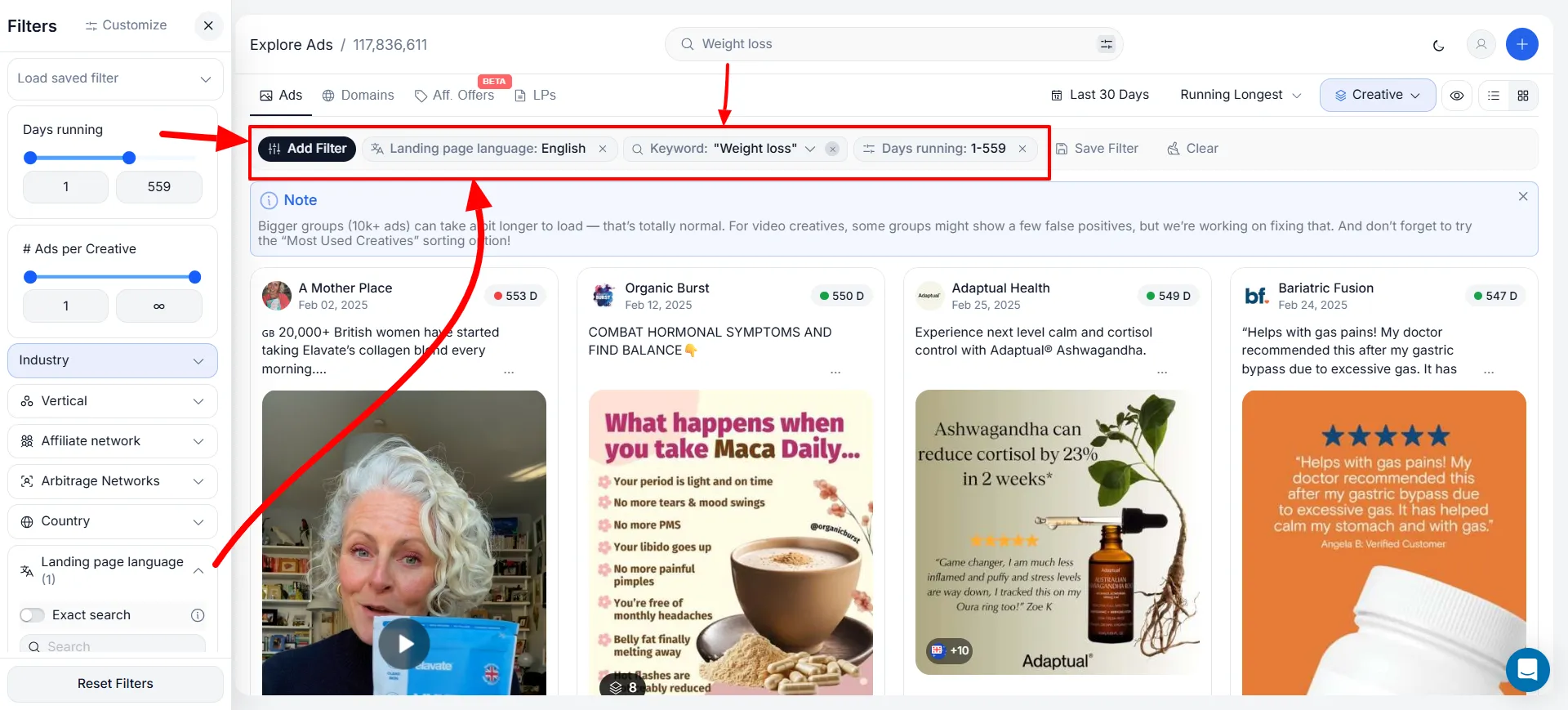
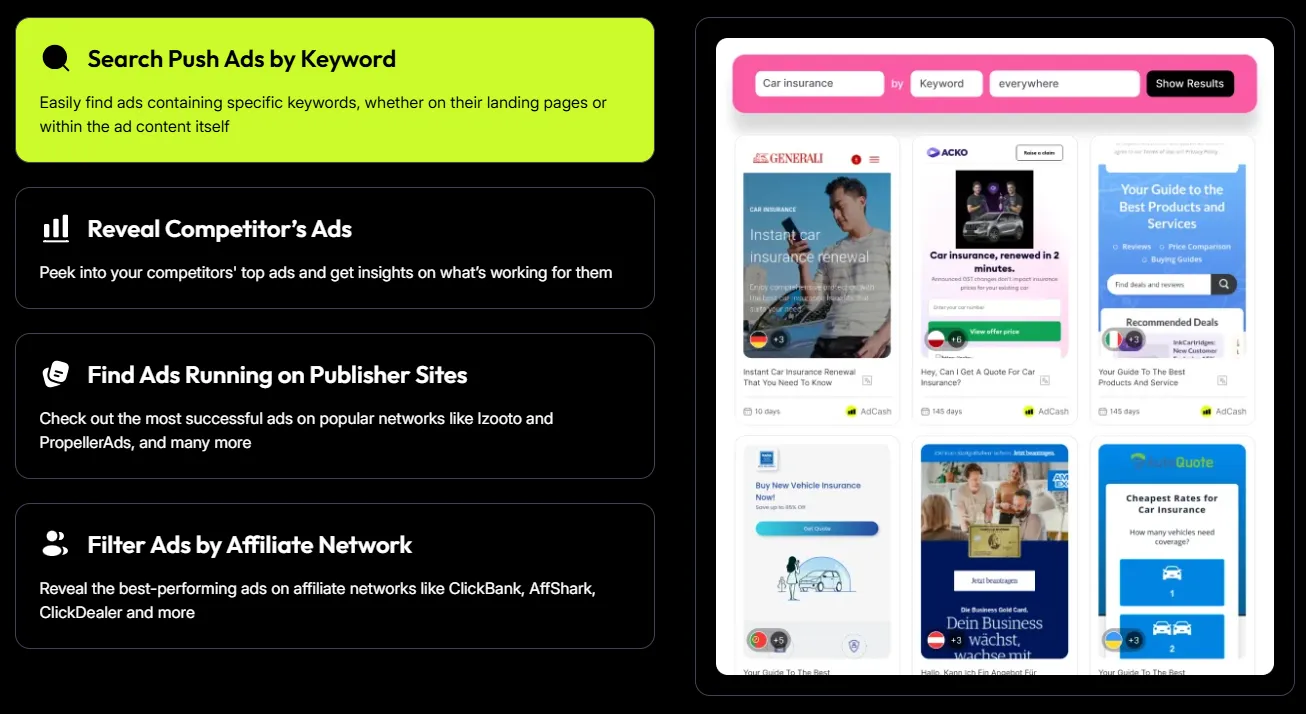
AdPlexity works as a true competitive ad intelligence tool here. Its search drills down to redirect chain patterns and even 3 character fragments inside URLs. That precision helps you trace specific offers and affiliate network footprints, not guess from an image.
The edge is simple. You are not trying to see more ads. You are trying to see fewer, better ones.
Get 30% Off AdPlexity Modules & Spy Better Ads
Grab the latest AdPlexity coupon offer and unlock premium ad intelligence features for keyword research, campaign analysis, and competitor ad discovery.

AdPlexity Modules
30% OFF
AdPlexity's Advanced Search Filters Explained
AdPlexity gives you 18+ filters per tool. The mistake beginners make is using one at a time. Real results come from stacking them with intent.
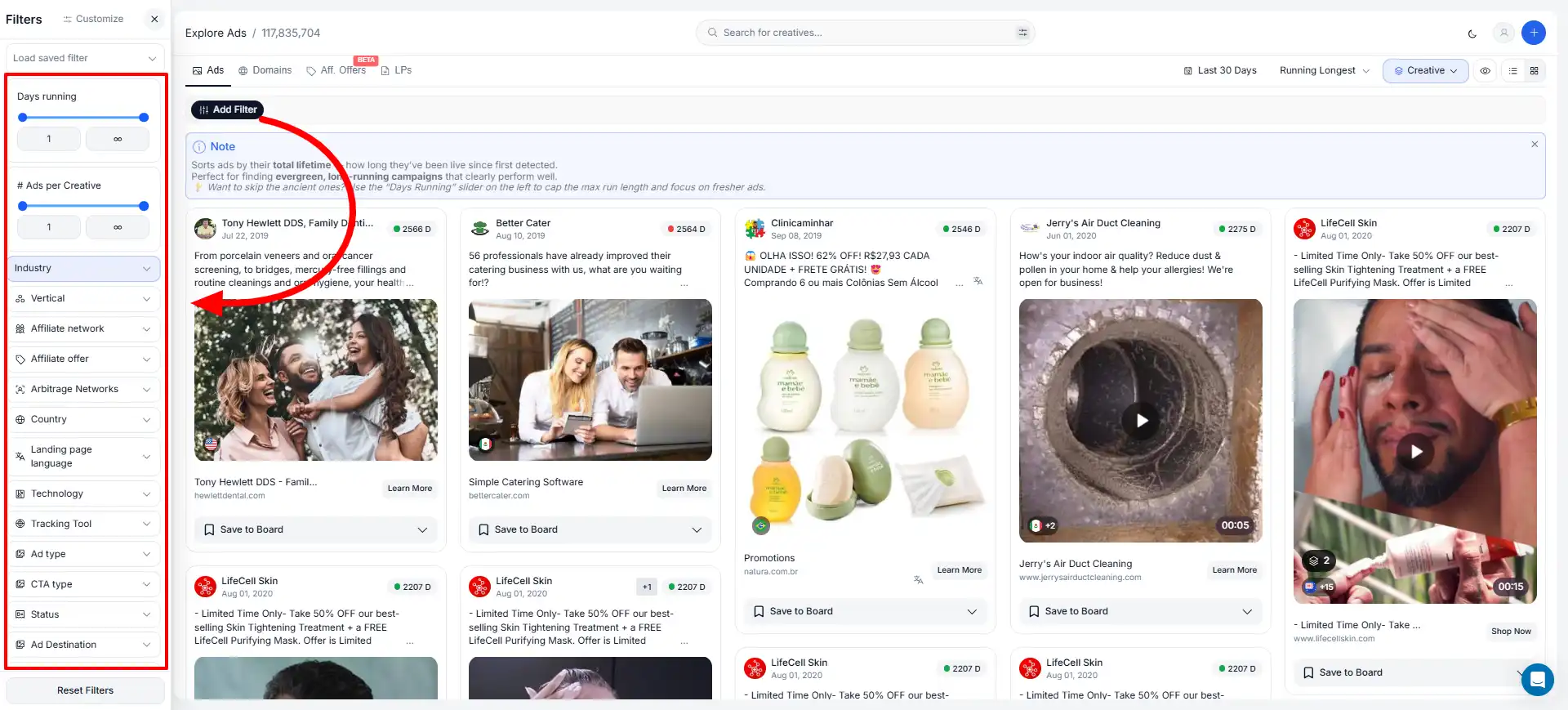
Core filters across modules include advertiser, affiliate network, traffic source, keyword, country, device type, landing page language, technology, tracking, publisher, placement, connection, and days running.
Here is how to think about the most useful groups:
Filters Available Per AdPlexity Product
Each module carries its own extra filters on top of the shared set. Pick the right one for your traffic.
| AdPlexity Module | Standout Filters | Best Research Fit |
|---|---|---|
| Mobile | Device type, connection, carrier, bid price | Carrier aware, mobile first landers |
| Native | Vertical filter | Advertorials and presell funnels |
| Push | Vertical filter | Short copy hooks, aggressive CTAs |
| Desktop | Size filter | Pop, display, browser campaigns |
| YouTube | Likes, views, length, type | VSL and video angle research |
| Social | Impression based search, creative grouping | Meta competitor ad spying |
A quick note on logic. Avoid using “Include Exact” or strict AND with affiliate networks across platforms, as these data points span native, push, pop, and desktop and can throw false results.
How to Build a Laser-Targeted Ad Search
You do not need a complex process. You need one you can repeat. Follow these steps in order.
AdPlexity's landing page download feature works across core products, so teardown work moves much faster.
Smart Search Goals Before You Build A Query
A strong advanced search query usually targets one of four goals. Keep your aim narrow before you add rules.
You do not need the exact offer name. If you know how the tracking setup leaves clues, the filters do the rest
Advanced Tracking Footprint Tactics Pros Use
AdPlexity's own playbook shows how power users chase redirect chain footprints to expose hidden offers. These setups are battle tested.
Here are real affiliate network tracking patterns you can replicate:
| Goal | Filter Setup | What It Reveals |
|---|---|---|
| Mobipium offers | Advertiser + Include + s1., s2., s3., s4. | Mobipium tracking domains, then same offers on other networks |
| Golden Goose offers | Advertiser + Include /cl/ across .com, .net, .xyz groups | Active Golden Goose redirect domains |
| Zyedoo surveys | Advertiser + Include -survey AND ymid | Sweeps and financial survey campaigns |
| Traffic Company | Advertiser + Include &pi= plus _hmac search | All active Traffic Company ads |
To narrow further, add an exclusion. For Zyedoo without Rewardis, keep the -survey plus ymid group, then add Keyword + Exclude + Rewardis. AND logic keeps results strict and precise.
How to Spy on Mobile Ads Without the Noise
Mobile needs its own approach. Broad results mix in desktop funnels that hide what truly converts.
Set a country exclusive filter for one GEO, like Egypt, so only ads running there appear. This stops redirected traffic from polluting your data.
Then exclude Wi Fi traffic. Go to Advanced Search → Connection → Exclude → WIFI. That keeps your view on carrier billing and mobile carrier offers.
Next, review results and remove branded campaigns run by the company itself, plus anything unrelated. Keep all conditions on AND, not OR, when you want to strip these out. Add conditions one by one and check results each time.
Once you find a winning offer, click “more ads by this advertiser” to map the full winning combination flow.
AdPlexity Coupon Code: Save 30% on Ad Research Tools
Get up to 30% off AdPlexity modules and access powerful ad intelligence features to analyze competitors, find winning campaigns, and improve your media buying strategy.
Lifetime Discount
AdPlexity Modules
30% OFF
Using Keyword Search Without False Negatives
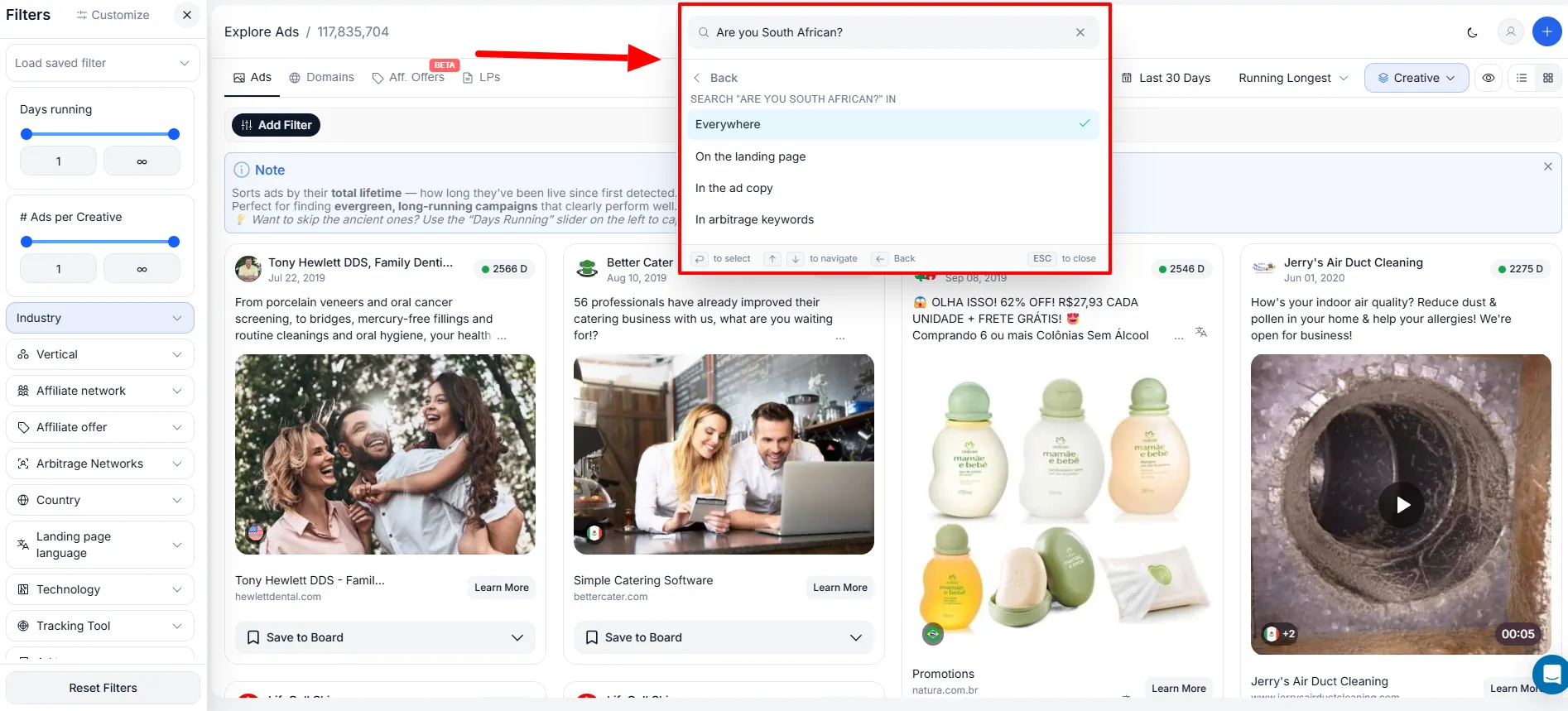
The keyword filter is powerful for finding very specific landing pages. Used wrong, it hides good campaigns.
Searching for exact phrases like “Are you South African?” only works if that lander is already indexed in AdPlexity. Too much specificity creates false negative results, so relevant ads never show.
Balance specificity with broader targeting, especially with regional or language based lander content. Test a wide term first, then narrow.
Find Winning Ads With Days Running & Trends
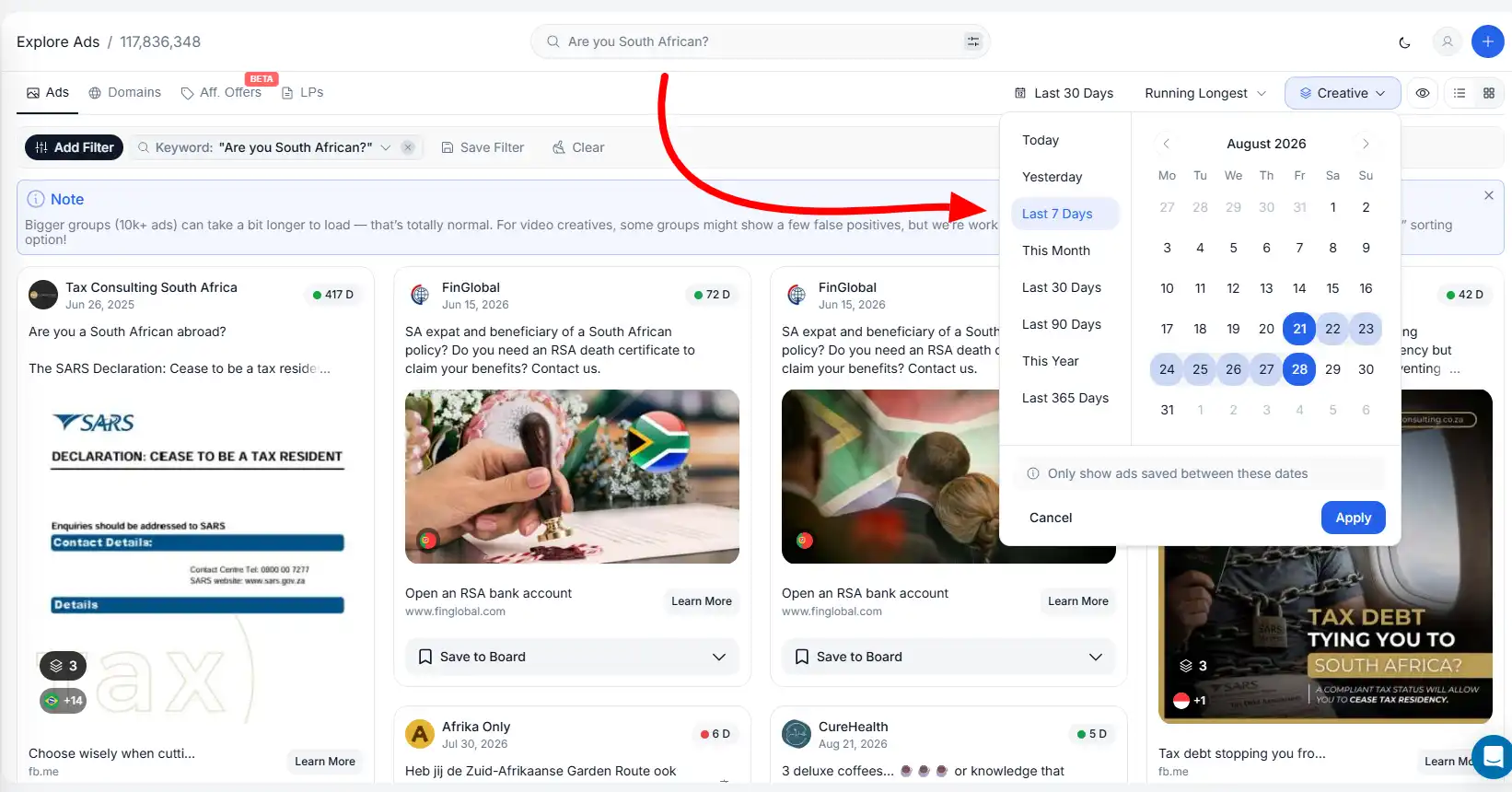
A flashy new ad can still be a loser. Ads that keep running deserve attention because longevity hints at margin.
Set the days running slider to at least 7 days, then sort by newest. This surfaces fresh campaigns already proving themselves. Push it to 14 or 15 days when you want longer track records.
You can also sort by “received most traffic” to spot ads pulling the heaviest volume. Every main module includes a Trending Area that surfaces momentum faster than manual scrolling.
Putting Your First Targeted Search Together
Start with a clear goal and one traffic type. Add a GEO, set days running to 7, and sort by newest.
Layer in device type and language using AND for a tight result set. If results feel thin, switch a rule to OR and explore adjacent angles.
Once a cluster of similar ads appears, download the landing pages and map the funnel structure. Reverse engineer the pattern behind the creative rather than cloning one ad. That habit turns competitive ad intelligence into campaigns built on proven market behaviour.
What traffic type are you planning to research first, so I can tailor an exact filter stack for it?